
You are logged in as a guest, we recommend that you log in or go
process of registration. If you forgot your password, you can restore it
Navigation
Top News
Statistics
Advertisement
Аrchives
Votes
| Rate the site |
MMC ASA All Regions (May 2024) 1.8.0.0 [Multi]
Author: carsoftos777 | 21-03-2026, 00:42 | Programs for cars and diagnostics | Views: 479 | Comments: 0 | Found a bug?
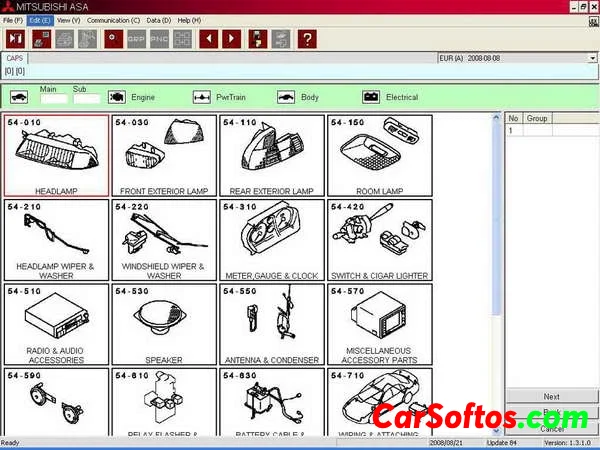
Description: Mitsubishi ASA spare parts catalogs for vehicles in the European, Asian, North American, and Japanese markets. Contains comprehensive information on parts and accessories for passenger cars and SUVs. The auto parts catalog can be searched by VIN, model, part number, part name, and part applicability.
All sections use shell version 1.8.0.0.
Works correctly on operating systems from Windows XP to Windows 10 64-bit.
Installation:
1. [M00] Mitsubishi ASA Japan, update 938 (2024-05-31)
2. [M50] Mitsubishi ASA North America, update 835 (2024-05-31)
3. [M60] Mitsubishi ASA Europe, update 855 (2024-05-31)
4. [M80] Mitsubishi ASA General Export, update 806 (2024-02-23)
2. [M50] Mitsubishi ASA North America, update 835 (2024-05-31)
3. [M60] Mitsubishi ASA Europe, update 855 (2024-05-31)
4. [M80] Mitsubishi ASA General Export, update 806 (2024-02-23)
![MMC ASA All Regions (May 2024) 1.8.0.0 [Multi]](/downico/downl.png)

Tags:
Information
Users of Guests are not allowed to comment this publication.
Users of Guests are not allowed to comment this publication.