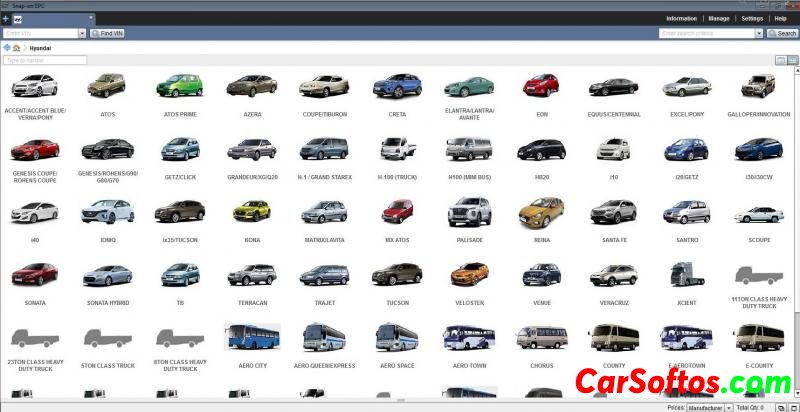
Description: Genuine Parts Catalog (HYUNDAI Global Snap-on EPC 5)
contains complete information about parts and accessories for all HYUNDAI cars,
SUVs, buses and trucks produced for most of the world's markets.
Add. Info: EPC options installable over the web or locally, with the same trusted interface for both:
Support for IE, Chrome, Firefox and Edge browsers.
Web EPC is always up to date (no updates from DVD or USB).
The local EPC is ideal as a backup or primary system and includes automatic data updates over the Internet.
VIN filtering at the level of illustrations and details improves the accuracy of the search
Extended contents of these parts
Smart Search: Type in what you know and EPC Snap-on will find what you need.
Notes for Users and OEMs
Narrow type search results
Basic and advanced integration with dealer management systems (requires participation of a dealer management system supplier)
Work on multiple tasks at the same time in one window
Easy to use illustrations
Advanced custom email options
Create customer ratings
Adjust filters manually for different vehicle configurations
Additional features included for most market or brand specific data
Installation:
1. Install the program
2. Stop the SBS_SNAPONEPC_PDBV2 and SBS_STONEBRIDGE services
3. Replace the licensing-javaclient-3.1.9 file along the path
for x64 C:\Program Files(x86)\Snap-on Business Solutions\Snap-on EPC\StoneBridge\lib
for x32 C:\Program Files\Snap-on Business Solutions\Snap-on EPC\StoneBridge\lib
4. Start the SBS_SNAPONEPC_PDBV2 and SBS_STONEBRIDGE services
5. Copy the contents under the spoiler into a text file ↓
Licenses
<?xml version="1.0" encoding="UTF-8"?>
<Licenses>
<ClientLicense ApplicationID="HYU" Version="1.0"> <ApplicationString>HYU_AD_ASL;HYU_AD_BUS;HYU_AD_JMA;HYU_AD_MPMI_HQSS;HYU_AD_AUTOEXCEL;HYU_AD_CARIBBEAN;HYU_AD_STAR;HYU_DS_BRA;HYU_DS_TUR;HYU_AD_HPR;HYU_AD_CHILEHQ;HYU_AD_FREEPORT;HYU_AD_ARGENSA;HYU_AD_JUMA;HYU_AD_AGD8;HYU_AD_AGD7;HYU_AD_AGD6;HYU_AD_AGD5;HYU_AD_PERUSA;HYU_AD_AUTOTRADE;HYU_AD_MPMI_HQ;HYU_DS_MEX;HYU_AD_AGD9;HYU_AD_KEYMOTORS;HYU_DS_MES;HYU_AD_SOCIMEX;HYU_AD_AGD4;HYU_AD_AGD3;HYU_AD_AGD2;HYU_AD_AGD1;HYU_AD_NCC;HYU_AD_HASA;HYU_AD_UNITY;HYU_AD_TURK;HYU_AD_MPME;HYU_AD_SUNAUTO;HYU_AD_EII;HYU_DS_EUR;HYU_DS_AUS;HYU_DS_US;HYU_AD_NEOCORP;HYU_AD_HMC_3RD;HYU_AD_NAGHI;HYU_AD_PRESTIGE;HYU_AD_UNIVERSAL;HYU_AD_DEMO;HYU_AD_CKENYA;HYU_AD_MPE;HYU_DS_ALL;HYU_AD_AGD29;HYU_AD_WALLAN;HYU_AD_AGD27;HYU_AD_OTE;HYU_AD_AGD28;HYU_AD_AGD25;HYU_AD_AGD26;HYU_AD_AUTOMOTOR;HYU_DS_BRA_MES;HYU_AD_ASIARES;HYU_AD_HMA_3RD;HYU_DS_CHN;HYU_AD_HMA;HYU_AD_HUG;HYU_AD_AGD18;HYU_AD_AGD19;HYU_AD_AGD16;HYU_AD_AGD17;HYU_AD_HMC;HYU_AD_AGD14;HYU_AD_AGD15;HYU_DS_CA;HYU_AD_MAGNA;HYU_DS_EUR_RUS;HYU_AD_GRUPOES;HYU_AD_AUTOSA;HYU_AD_KOMOCO;HYU_DS_RUS;HYU_AD_AGD23;HYU_AD_AGD24;HYU_AD_AGD21;HYU_AD_AGD22;HYU_DS_BMP;HYU_AD_AGD20;HYU_AD_GUAT;HYU_AD_NGT;HYU_AD_BONAIRE;HYU_AD_GLOBALMOT;HYU_AD_INDIA;HYU_AD_AUTOAZER;HYU_AD_FIRSTMOT;HYU_AD_MPME_HQSS;HYU_AD_INVEST_GHANA;HYU_AD_AGD12;HYU_AD_MMC;HYU_AD_AGD13;HYU_AD_AGD10;HYU_AD_AMM;HYU_AD_AGD11;HYU_AD_HORSFORD;HYU_DS_KOMOCO_3RD;HYU_DS_VEHCOM;HYU_AD_CENTURY;HYU_DS_MIN;HYU_AD_BHMP;HYU_AD_JAIDAH;HYU_AD_MULTIVEH;HYU_DS_GEN;HYU_AD_MARATHON;HYU_AD_SYRE;HYU_AD_PMCA;HYU_AD_CHILE;HYU_AD_SAMIL;HYU_AD_AUTOSP;HYU_AD_CHILEINDU;HYU_AD_PETRO;HYU_AD_GRUPOQ;HYU_AD_NEO;HYU_AD_BER;HYU_AD_HAG;HYU_AD_ISL;HYU_AD_NMA;HYU_AD_NIGERIA;HYU_AD_GLOBALENG;HYU_AD_CAETANO;</ApplicationString>
<StartDate>20210529 14:50:24</StartDate>
<EndDate>20350529 14:50:24</EndDate>
<Signature>XXXXXXXXXXXX</Signature>
<DealerID>12345</DealerID>
<MachineID>181TYLYS39OR</MachineID>
<MachineDescription>localdomain(0.0.0.0)</MachineDescription>
<MachineComment><![CDATA[]]></MachineComment>
<ClientID>12345</ClientID>
<LicenseType>Standalone</LicenseType>
<Count>1</Count>
</ClientLicense>
</Licenses>
and save as "Licenses.xml"
5. Launch the Snap-on EPC License Manager, fill in the dealer code BAC 12345 in the pop-up window and then the full License Manager window will pop up
6. Copy the identification number of the machine (third line from the top)
7. Change the line in the Licenses.xml file 181TYLYS39OR to the copied one and save
8. Set the attribute "read only"
9. Go to the C:\ProgramData\Snap-On Business Solutions\Licensing\HYU folder and change the Licenses.xml file
10. That's it, run the program and enjoy.
Version: 3.10.6
System requirements: Windows 7, Windows 8, Windows 10 32 and 64 bit (x86) - (x64) (Tested on Window 7 64bit ultimate)
Interface language: BG, CS, DA, DE, EL, EN (USA), EN_GB (UK), ES, ES_MX, FI, FR, FR_CA (CA), HR, HU, IT, JA, KO, NL, NO, PL, PT, PT_BR, RO, RU, SK, SL, SV, TH, TR, VI, ZH, ZH_TW
Region: INDIA, AUSTRALIA, BRAZIL, CHINA, EUROPE, EUROPE + RUSSIA, GENERAL, INDIA, MEXICO, MIDDLE EAST, RUSSIA
Database language: Deutsch, English, Espanol, Francais, Portugues, Russian.

- 2
Tags: