
You are logged in as a guest, we recommend that you log in or go
process of registration. If you forgot your password, you can restore it
Navigation
Top News
Statistics
Advertisement
Аrchives
Votes
| Rate the site |
Scania Multi 2020.05 [Multi] Full
Author: carsoftos777 | 3-02-2022, 20:34 | Programs for cars and diagnostics | Views: 1 510 | Comments: 0 | Found a bug?

Description: The SCANIA MULTI program contains information about spare parts for Scania cars and buses. All information is presented since 1985, for trucks, chassis and buses of the SCANIA series, for all regions (they differ in equipment and design).
Service documentation in English and Russian.
Installation

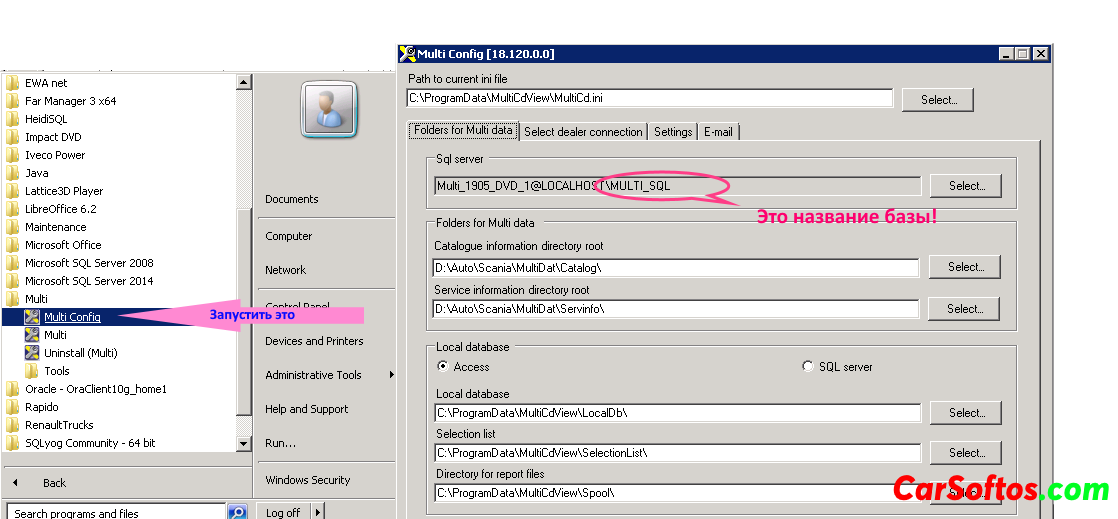
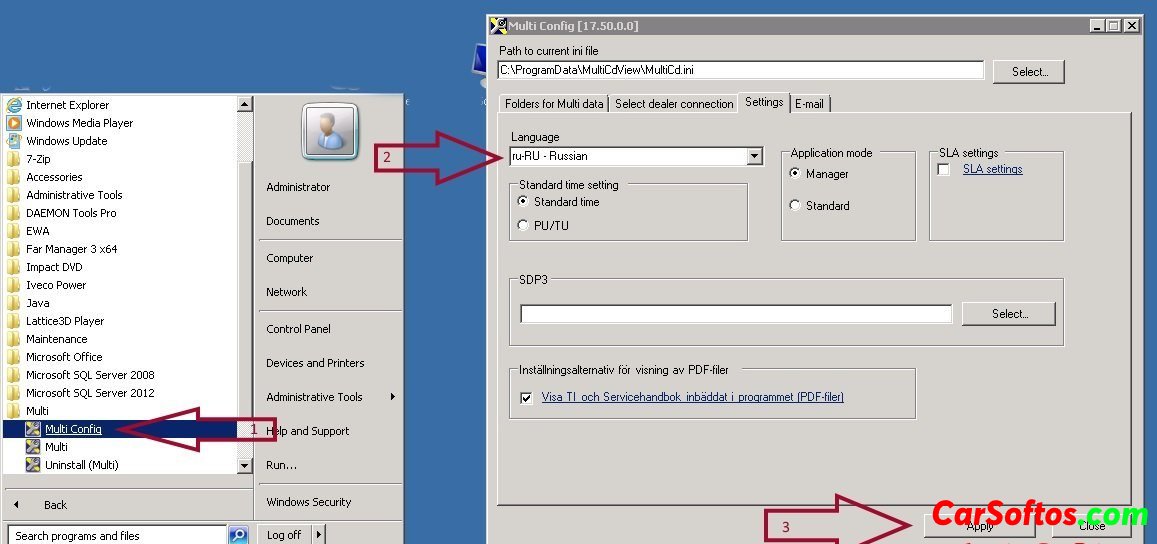
Year/Date of Issue: 2020.05
Version: 20.50.0.3
Interface language: Multilingual

Tags:
Information
Users of Guests are not allowed to comment this publication.
Users of Guests are not allowed to comment this publication.