
You are logged in as a guest, we recommend that you log in or go
process of registration. If you forgot your password, you can restore it
Navigation
Top News
Statistics
Advertisement
Аrchives
Votes
| Rate the site |
BMW ETK 06/2016 3.1.30 [Multi]
Author: carsoftos777 | 27-12-2021, 18:54 | Programs for cars and diagnostics | Views: 617 | Comments: 0 | Found a bug?
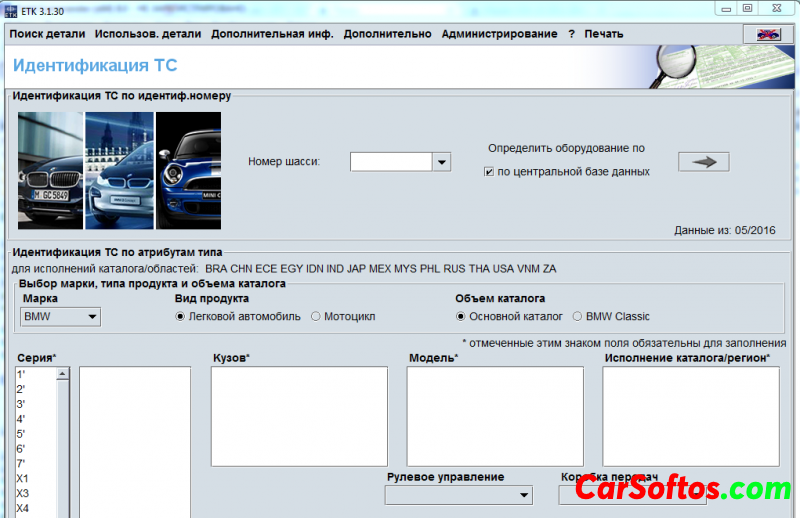
Description: Catalog of spare parts from the manufacturer. The search is carried out both by the spare part number and by the car model or by the VIN of the car.
Add. Information: IMPORTANT!
Turn off TORRENT during installation !!!!!!
Install from DVD or ramdisk!
To update the program:
Run the ETK Admin application and select "Data" - "Load published data ..." from the menu, where specify the path to the disk where the image from this distribution is mounted.
For a new installation:

If the shortcut to launch the accessories catalog disappeared or did not appear:
copy the shortcut of the main directory "ETK Lokal" and in the properties of the shortcut add the object in the field after ETK.exe app = zub
Year / Date of Issue: 06/2016
Version: 3.1.30
Interface language: Multilingual

Tags:
Information
Users of Guests are not allowed to comment this publication.
Users of Guests are not allowed to comment this publication.